Peira Labs

Products Peira Baseline On sale

A Proxmox cluster you can rebuild, not just run.

Peira Baseline is a tested guide and working code that take two to four used mini PCs to a Proxmox VE 9 cluster whose configuration is recorded and checked, with backups you have proven by restoring them. Deploy to a known-good state. Rebuild to it anytime.

One-time purchase through Polar · every update to the Proxmox VE 9 edition · refunds within 14 days

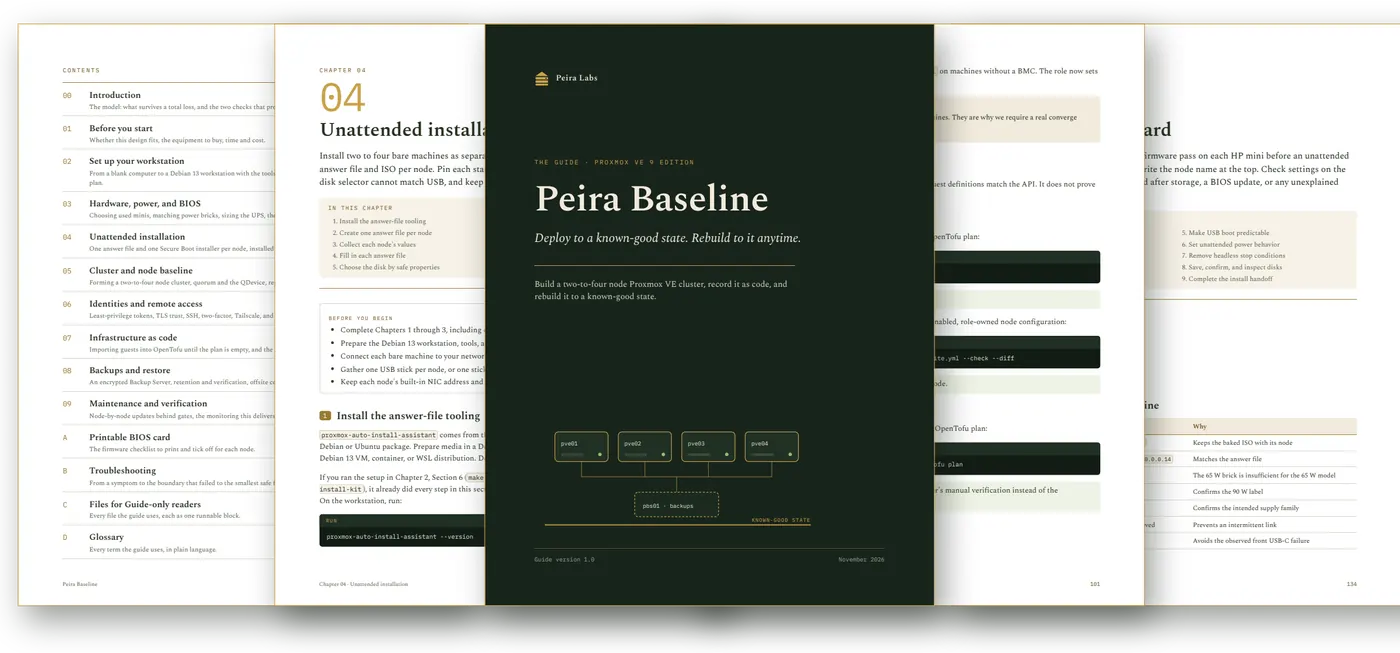
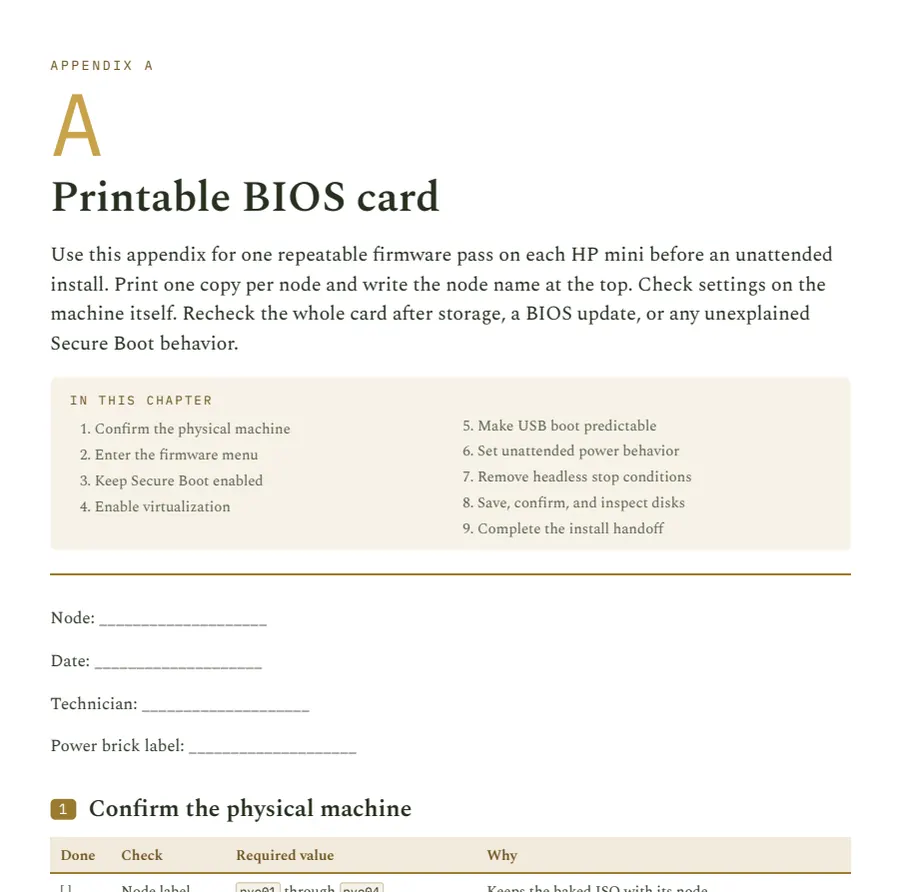
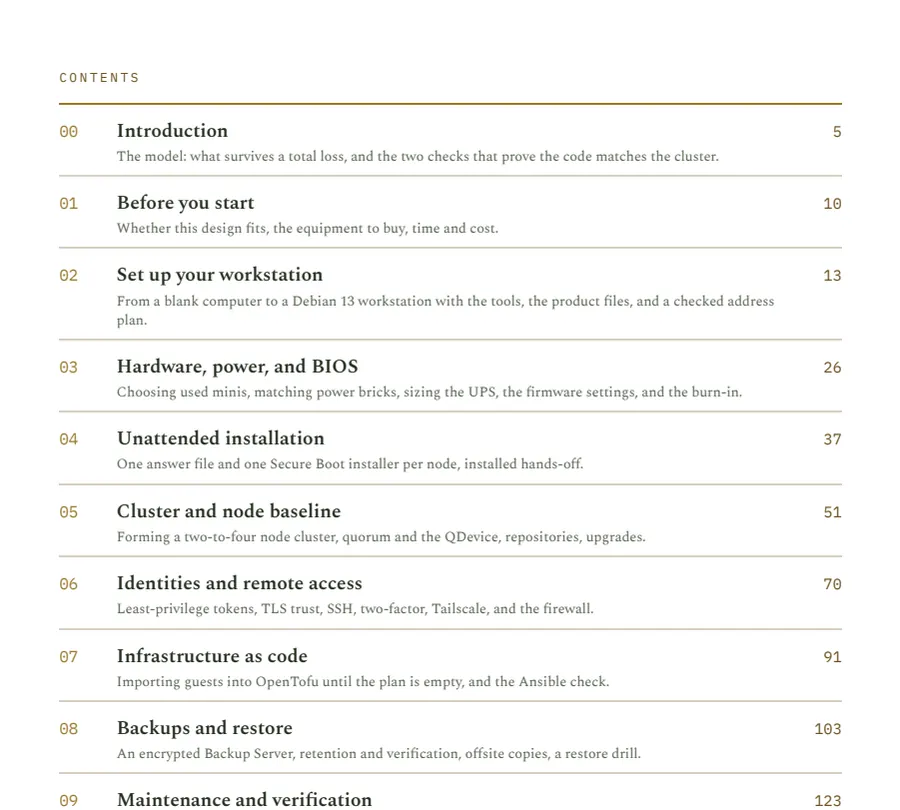
Five pages of the Peira Baseline guide laid side by side: the contents, the Chapter 04 opener on unattended installation, the cover, the page that runs the two acceptance checks, and the printable BIOS card.
  • 2 checksprove the code still matches the cluster
  • 2 to 4 nodesthe examples use four used mini PCs
  • 3 backup tierslocal, a separate Backup Server, offsite
  • No experienceneeded: Chapter 2 teaches the basics

Why Baseline

Know your cluster is still the way you left it

Most homelabs are built once from a dozen tutorials, and nobody can say afterwards what was changed, or rebuild it the same way. Baseline gives the cluster a written record and two checks that compare the record with the machines.

  • Rebuild from the record. The guide starts with what survives losing every node, then builds the repository, the worksheet and the backups that bring it back.
  • Catch drift any day. Rerun make plan and the Ansible check. Anything other than No changes. and changed=0 means something moved.
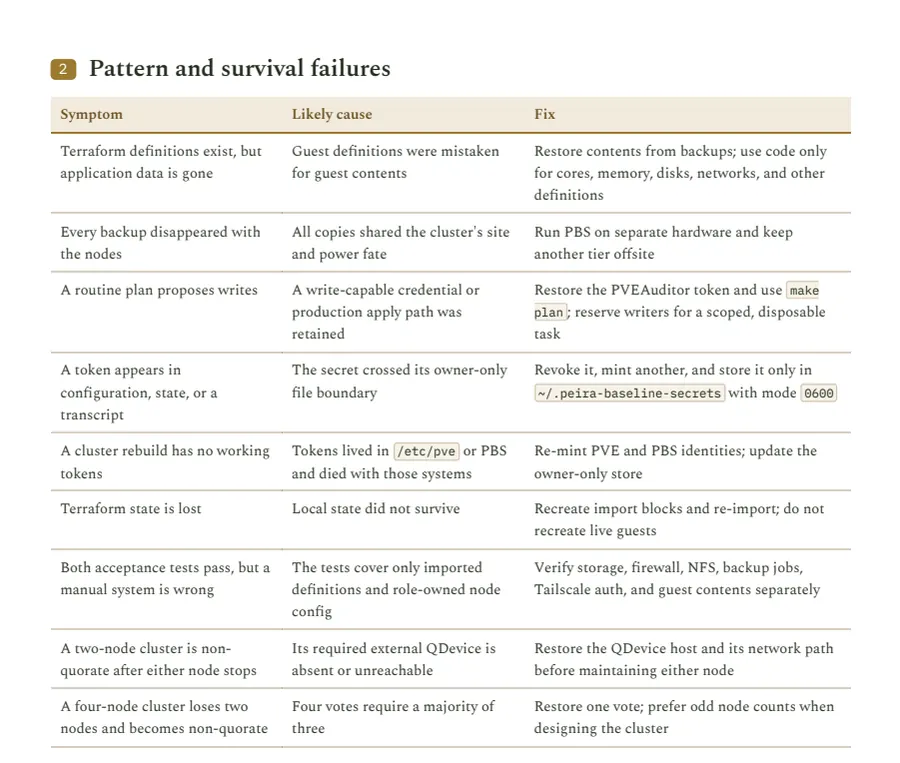
  • Every step is checked. Each command is followed by the output to expect. When it does not match, the troubleshooting appendix goes from symptom to cause to fix.
  • Backups you have proven. An encrypted Proxmox Backup Server on separate hardware, verified jobs, an offsite copy, and a restore drill.

The destructive steps (installing, joining nodes, choosing disks) stay manual on purpose, and guest contents come from backups, never from code.

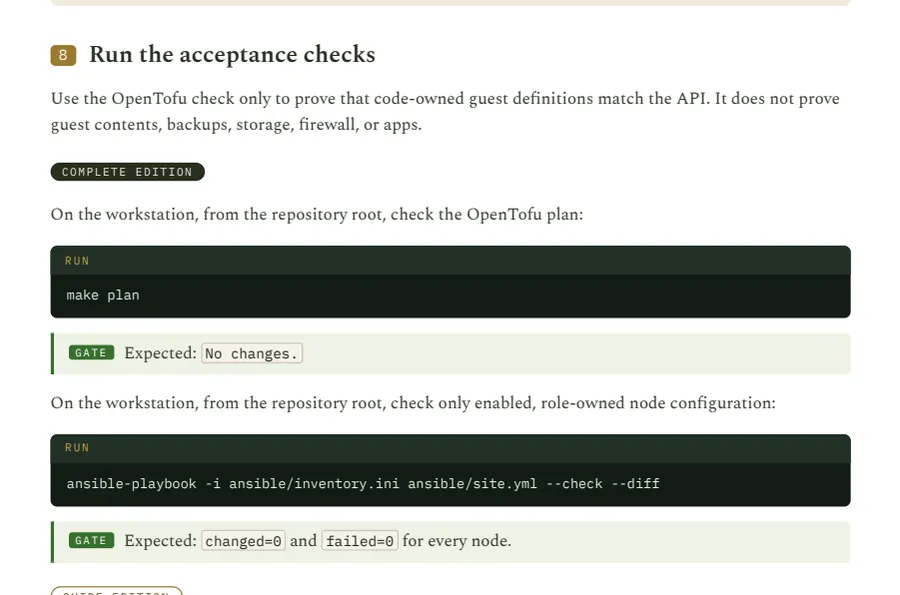
A page from Chapter 07: run the acceptance checks. Each command block is followed by a Gate line, Expected: No changes, and Expected: changed=0 and failed=0 for every node.

Who it helps

Written for your first cluster, useful at work

The steps are written for someone who has never used Linux. The Why and From the build notes beside them are for people who have.

New to Proxmox or Linux

  • No experience needed. Follow the numbered steps in order. Chapter 2 sets up your workstation with one script and teaches the basics the steps use, and Appendix D defines every term.
  • One path, decided for you. The hardware, firmware settings, addresses and backup layout are chosen and explained, so you are not comparing ten tutorials.
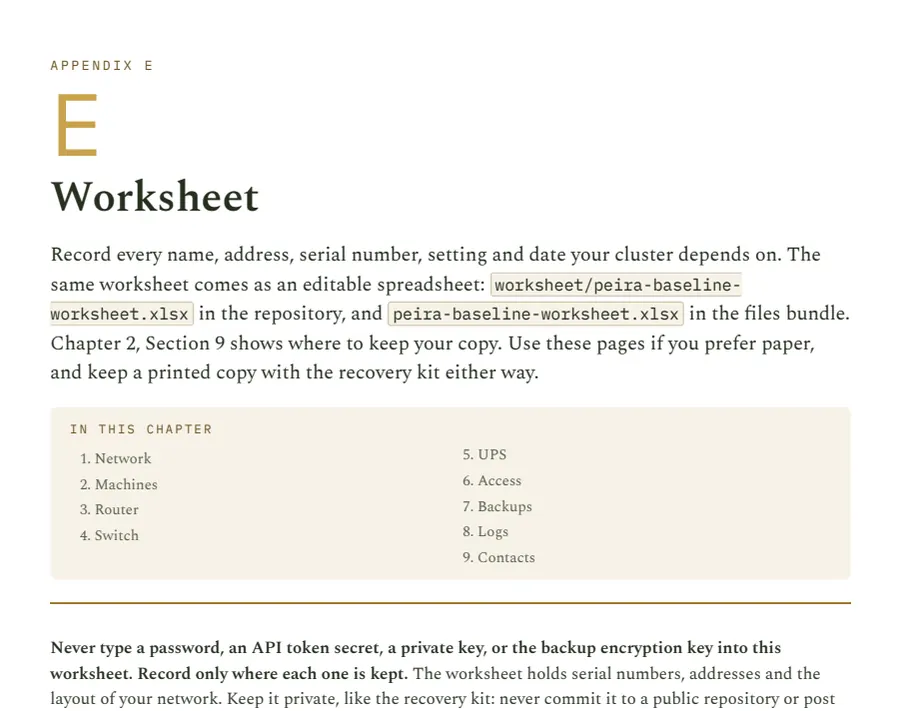
  • Paper you can keep. A printable BIOS card for each node, and a worksheet for every address, serial number and date, which records where each secret is kept, never the secret.
  • Works without the code. Appendix C prints every file the steps use, so the Guide edition is complete on its own.

Running infrastructure for a living

  • Import first, not greenfield. The code describes a cluster that already works: guests are imported into OpenTofu (the bpg/proxmox provider) until the plan is empty.
  • Acceptance criteria you can write down. No changes. and changed=0 fit a change review, and rerun later they catch drift.
  • Plain code you can read. Ansible roles for package repositories, the node exporter, Tailscale, backup hooks and watchdogs, with no vendored third-party code.
  • Least privilege from day one. Routine observation is separated from deliberate change: the standing OpenTofu credential is a read-only PVEAuditor token, and Secure Boot stays on.
  • A license for work. The Commercial edition covers internal use by one organization.

Inside the guide

Pages from the guide itself

Cropped from version 1.0 of the PDF, Proxmox VE 9 edition. Nothing here is a mockup.

Tested, not described

Built on real hardware before release

Every chapter was run end to end on a test cluster under Secure Boot, and the expected output in the guide is what the commands printed. The hardware chapters and the BIOS card were written on used HP EliteDesk mini PCs. On other machines the same settings exist under different names, and the guide says which ones matter.

  • Two, three or four nodes, including the external tie-breaker vote a two-node cluster needs.
  • Unattended installation from answer files, one per node.
  • A restore drill on a disconnected bridge, timed, so recovery estimates come from a measurement.
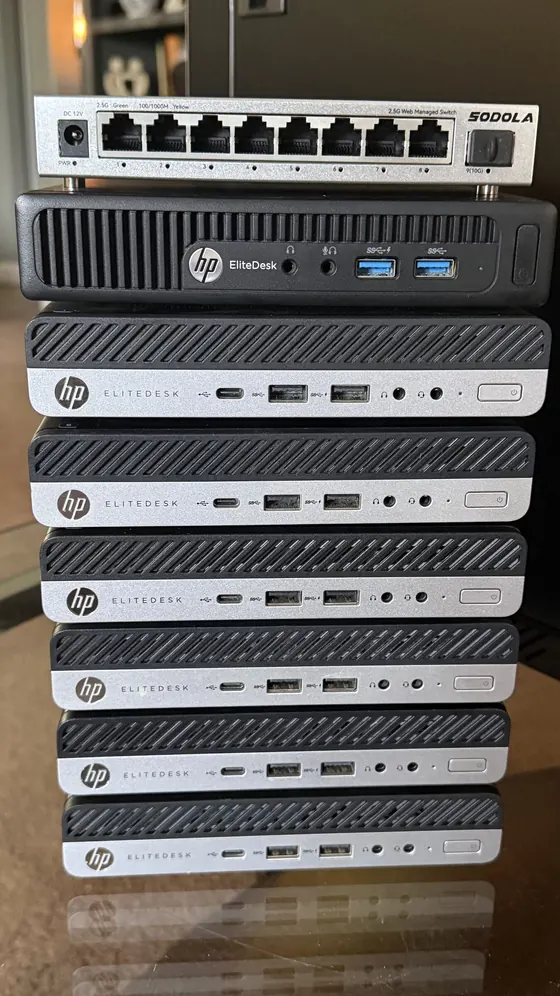
Seven HP EliteDesk mini PCs stacked on a table with a small network switch on top.
Used HP EliteDesk mini PCs in the Peira Labs lab.

Editions

GuideCompleteCommercial
Launch price, one-time$19 then $25$45 then $59$149 then $199
The guide (PDF and offline HTML)YesYesYes
The repository (OpenTofu, Ansible, install kit)—Read access on GitHub, plus a zipRead access on GitHub, plus a zip
UpdatesUpdated PDFs for the Proxmox VE 9 editionQuarterly releases for the Proxmox VE 9 editionQuarterly releases for the Proxmox VE 9 edition
UsePersonalPersonal and noncommercialInside one organization, with a license key
BuyBuy the GuideBuy CompleteBuy Commercial

Launch prices until January 6, 2027. Polar is the merchant of record and adds any sales tax or VAT at checkout. If it is not what you needed, ask for a refund within 14 days of purchase.

What the guide covers

  1. Introduction: what survives a total loss, and the two checks that prove the code matches the cluster.
  2. Before you start: whether this design fits, the equipment to buy, time and cost.
  3. Set up your workstation: one script, the tools, the product files and a checked address plan.
  4. Hardware, power and BIOS, with Secure Boot left on.
  5. Unattended installation from answer files.
  6. Cluster and node baseline for two, three or four nodes, with the tie-breaker vote a two-node cluster needs.
  7. Identities and remote access: least-privilege API tokens, two-factor, Tailscale and the firewall.
  8. Infrastructure as code: importing guests until the plan is empty, and the Ansible check.
  9. Backups and restore: an encrypted Backup Server, retention and verification, offsite copies, a restore drill.
  10. Maintenance and verification: updates node by node behind gates, a proven backup before each pass, and honest recovery-time estimates.

Five appendices: a printable BIOS card, troubleshooting from symptom to fix, every file the Guide edition needs, a glossary, and the worksheet.

What it does not do

It is not a one-click stack. It does not manage what runs inside your guests, and it does not cover Ceph, high-availability groups, automatic UPS shutdown or automated rolling updates. It installs the Prometheus node exporter but not a monitoring server.

Licensing

The Guide and Complete editions are for personal and other noncommercial use (PolyForm Noncommercial 1.0.0). The Commercial edition adds the PolyForm Internal Use License 1.0.0, so one organization, including companies it controls or that control it, can use the code and copy the guide internally. Running Baseline on a client's infrastructure is a service to a third party and is not covered; per-site licensing for IT consultants and service providers is planned, so ask if you need it. There is no copy protection.

Updates and support

Baseline is sold as-is, on every edition. Complete and Commercial buyers can ask questions in the repository's GitHub Discussions; Guide buyers can use the contact details on this site. Every edition includes every update to the Proxmox VE 9 edition, with no time limit: quarterly releases with a public changelog, and updated PDFs for the Guide. A major Proxmox VE version that needs a rewrite becomes a new edition, discounted for existing buyers; you keep the Proxmox VE 9 edition.

Rebuild to a known-good state.

Launch prices until January 6, 2027: Guide $19, Complete $45, Commercial $149.